TL;DR
Set up CI/CD for your startup in an afternoon. GitHub Actions, Docker, Terraform, and security scanning. Step-by-step guide from 80+ shipped products.
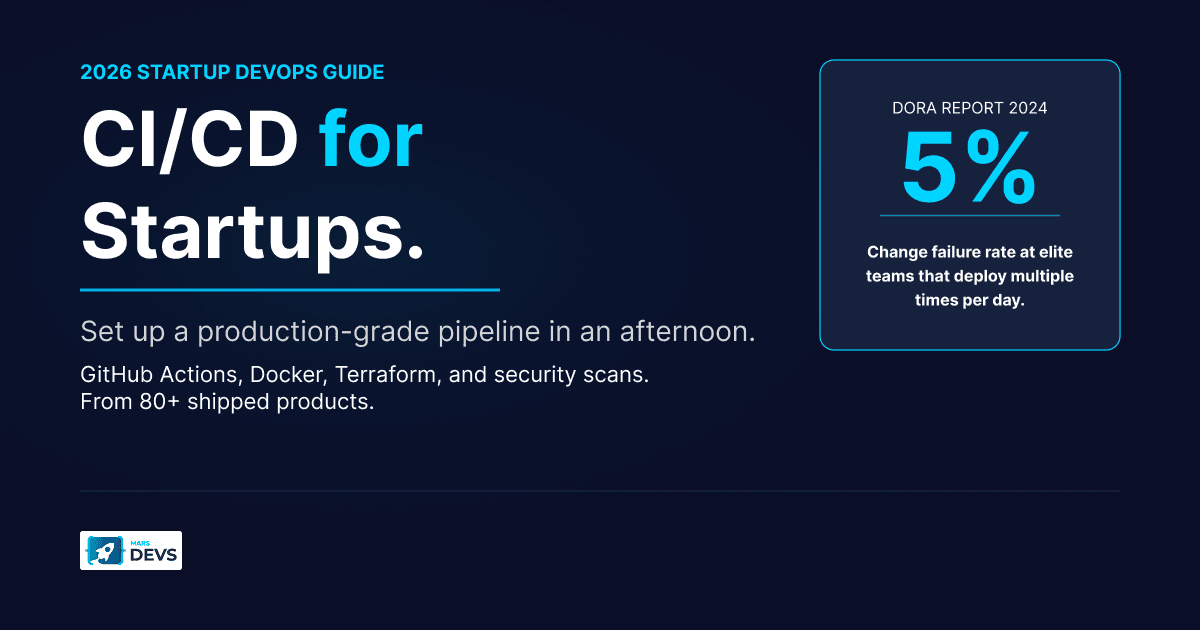
CI/CD (Continuous Integration / Continuous Deployment) automatically tests, builds, and deploys your code every time a developer pushes a change. For startups, setting up a CI/CD pipeline early (even before your MVP launches) eliminates manual deployment errors, cuts release cycles from weeks to hours, and lets a 3-person team ship with the reliability of a 30-person one. The fastest path for most startups in 2026: GitHub Actions + Docker + a managed cloud provider like AWS or GCP.
MarsDevs is a product engineering company that builds AI-powered applications, SaaS platforms, and MVPs for startup founders. Every project we ship includes CI/CD configured from the first sprint.

Your first deploy will be manual. You'll SSH into a server, pull the latest code, restart the process, and pray nothing breaks. It works when you're one developer shipping once a week.
Then you hire developer number two. Now you're coordinating deploys over Slack. Someone pushes untested code on a Friday. The production database schema doesn't match staging. A customer-facing bug sits live for 6 hours because nobody noticed.
This is where most early-stage teams bleed time they can't afford to lose. According to the 2024 DORA State of DevOps report, elite engineering teams deploy multiple times per day with change failure rates as low as 5%. Teams without CI/CD? They ship monthly (at best) and spend 20% of their engineering hours on deployment firefighting instead of building product, per JetBrains' 2026 ROI analysis.
Here's the thing: CI/CD isn't a "nice to have when you scale." It's a survival tool from day one. Every project MarsDevs ships has CI/CD configured before the first feature branch gets merged. No exceptions. When you're burning $30K-$80K per month in runway, you cannot afford to waste engineering cycles on problems that automation solves permanently.
MarsDevs has shipped 80+ products across 12 countries for startups and scale-ups. We've seen it firsthand: teams that adopt continuous integration early ship 3-4x faster than teams that bolt it on later.
Think of a CI/CD pipeline as an automated assembly line for your code. A CI/CD pipeline is a sequence of automated steps that build, test, and deploy software every time a developer pushes code changes. Every time a developer pushes changes, the pipeline kicks off a sequence: build the application, run automated tests, check for security issues, deploy to a staging environment, and (if everything passes) push to production.
The goal is simple: remove every manual step between "developer writes code" and "user sees the update." Fewer manual steps means fewer human errors, faster feedback loops, and more time building features instead of babysitting deploys.
You don't need a DevOps team to get started. A founding engineer can set up a production-grade CI/CD pipeline in an afternoon. This CI/CD pipeline guide walks through the practical sequence.
Use Git. Host on GitHub. This is non-negotiable in 2026. Your repository is the single source of truth for your application, and GitHub's ecosystem gives you the most CI/CD tooling out of the box.
Set up branch protection rules on main:
main, everA solid branch strategy is the foundation of any deployment pipeline. Keep it simple: main is production, feature branches for development, and optional staging for pre-production verification.
Write tests before you write pipeline configuration. Even a small test suite (20-30 unit tests covering your core business logic) catches more than you'd expect. Your pipeline can only flag bugs that your tests know to look for.
Start with this testing pyramid:
| Test Type | What It Covers | Run Time | Priority |
|---|---|---|---|
| Unit tests | Individual functions and methods | Seconds | High (write these first) |
| Integration tests | API endpoints, database queries | Minutes | Medium |
| End-to-end tests | Full user flows in a browser | 5-15 min | Low (add after MVP) |
Automated testing is the single highest-ROI investment in your CI/CD pipeline. A 30-test suite running on every push catches 80% of regressions before they reach staging. Run unit tests on every push. Run integration tests on pull requests. Save end-to-end tests for pre-production deploys.
Docker is an open-source platform that packages applications into containers, which are lightweight, portable units that run consistently across any environment. Docker kills "works on my machine" problems permanently. Package your application into a container image and push it to a container registry. That exact image runs identically in development, staging, and production.
A basic Dockerfile for a Node.js startup:
FROM node:20-alpine
WORKDIR /app
COPY package*.json ./
RUN npm ci --only=production
COPY . .
EXPOSE 3000
CMD ["node", "server.js"]
Build the container image once in your pipeline. Promote that same image through staging and production. Never rebuild between environments.
GitHub Actions is a CI/CD platform built into GitHub that automates build, test, and deployment workflows directly from your repository. For most startups, it is the default choice for continuous integration and deployment.
Create .github/workflows/deploy.yml:
name: CI/CD Pipeline
on:
  push:
    branches: [main]
  pull_request:
    branches: [main]

jobs:
  test:
    runs-on: ubuntu-latest
    steps:
      - uses: actions/checkout@v4
      - uses: actions/setup-node@v4
        with:
          node-version: 20
      - run: npm ci
      - run: npm test

  build-and-deploy:
    needs: test
    if: github.ref == 'refs/heads/main'
    runs-on: ubuntu-latest
    steps:
      - uses: actions/checkout@v4
      - name: Build Docker image
        run: docker build -t myapp:${{ github.sha }} .
      - name: Deploy to staging
        run: ./scripts/deploy.sh staging
      - name: Deploy to production
        run: ./scripts/deploy.sh production
This runs tests on every pull request, blocks merging if tests fail, and auto-deploys to production when code lands on main. Total setup time: 30-60 minutes.
Never deploy directly to production without a staging step. Your staging environment should mirror production as closely as possible: same cloud provider, same database engine, same environment variables (pointing to test data).
Use staging to:
A good rollback strategy matters too. Tag every production deployment with the Git SHA. If something breaks, roll back to the previous known-good image in under 2 minutes. Release management is simpler when every deploy is a tagged, immutable container image. We've seen founders lose entire weekends to broken deploys because they had no rollback plan. Don't be that team.
The CI/CD tool landscape has consolidated. For most startups, the decision is straightforward.
| Feature | GitHub Actions | GitLab CI | Jenkins | CircleCI |
|---|---|---|---|---|
| Setup time | Minutes | Minutes | Hours to days | Minutes |
| Free tier | 2,000 min/month | 400 min/month | Free (self-hosted) | 6,000 min/month |
| Maintenance | Zero (managed) | Zero (managed) | High (you run it) | Zero (managed) |
| Plugin ecosystem | 20,000+ Actions | Strong | 1,800+ plugins | Orbs marketplace |
| Best for | GitHub-native teams | GitLab-native teams | Enterprise/on-prem | Complex workflows |
| 2026 market share | 68% of open-source projects | ~20% | Declining | ~5% |
The short answer: If your code lives on GitHub (and in 2026, it probably does), use GitHub Actions. It plugs directly into your repository, requires zero infrastructure management, and GitHub cut runner pricing by up to 39% in January 2026.
Jenkins is an open-source automation server that runs CI/CD pipelines on self-hosted infrastructure. Jenkins is free to install, but it costs engineering time to maintain. For a startup burning runway, paying a few hundred dollars per month for a managed CI/CD platform is dramatically cheaper than spending 5-10 engineering hours per month babysitting Jenkins servers. Engineering time at a startup is worth $100-$200/hour. Jenkins "free" actually costs you $500-$2,000/month in hidden maintenance.

Jenkins isn't dead. It's the right choice if you operate in a regulated industry requiring on-premise builds, you need highly customized pipeline logic that managed tools can't express, or you already have a dedicated DevOps engineer who knows Jenkins inside out. For 90% of startups, that's not you.
Your CI/CD pipeline deploys code. But what about the servers, databases, and networking that code runs on? Infrastructure as Code (IaC) is a practice that defines cloud resources (servers, databases, networks) in configuration files rather than through manual setup. IaC treats your cloud infrastructure like software: defined in files, version-controlled, and deployed automatically.
Terraform is an open-source IaC tool by HashiCorp that provisions and manages cloud infrastructure across AWS, GCP, Azure, and other providers using declarative configuration files. Terraform holds 34.28% of the configuration management market and is the default choice for most teams. Here's why startups should care.
Without IaC, your infrastructure lives in someone's head. Or worse, in a series of manual clicks through the AWS console. When that person leaves, your infrastructure knowledge walks out the door. If you're a non-technical founder, you won't even know what questions to ask the next engineer.
With IaC:
terraform applyA basic Terraform configuration for a startup's AWS infrastructure:
resource "aws_ecs_cluster" "app" {
  name = "my-startup-cluster"
}

resource "aws_rds_instance" "db" {
  engine         = "postgres"
  instance_class = "db.t3.micro"
  allocated_storage = 20
}
You don't need to Terraform everything on day one. Start with:
Add monitoring, CDN, and caching infrastructure as your product grows. The pattern we follow at MarsDevs: get the core infrastructure in Terraform before launch, then expand coverage with each major feature. Building an MVP and setting up IaC should happen in parallel, not sequentially.
"We'll add security later" is the most expensive sentence in startup engineering. DevSecOps is a practice that integrates security checks directly into the CI/CD pipeline, catching vulnerabilities during development rather than after deployment. Fixing a vulnerability found in production costs 6x more than catching it during development. Your CI/CD pipeline is the perfect place to automate security checks.
| Scan Type | What It Catches | When to Run | Free Tools |
|---|---|---|---|
| SAST (Static Analysis) | Code vulnerabilities (SQL injection, XSS) | Every pull request | Semgrep, CodeQL |
| SCA (Software Composition) | Vulnerable dependencies | Every pull request | Dependabot, Trivy |
| DAST (Dynamic Analysis) | Runtime exploits, misconfigurations | Pre-production deploys | OWASP ZAP |
SAST (Static Application Security Testing) scans your source code for known vulnerability patterns without running the application. Think of it as a spell-checker for security. SCA (Software Composition Analysis) checks your third-party dependencies against known vulnerability databases. DAST (Dynamic Application Security Testing) attacks your running application to find exploitable weaknesses.
Add these to your GitHub Actions workflow:
security-scan:
  runs-on: ubuntu-latest
  steps:
    - uses: actions/checkout@v4
    - name: Run SAST
      uses: returntocorp/semgrep-action@v1
    - name: Scan dependencies
      uses: aquasecurity/trivy-action@master
      with:
        scan-type: 'fs'
        severity: 'HIGH,CRITICAL'
This adds roughly 2-3 minutes to your pipeline and catches the majority of common vulnerabilities. You're not building Fort Knox. You're building a smoke detector. It catches the obvious threats before they hit production.
Never store API keys, database passwords, or tokens in your code repository. Use GitHub Secrets for CI/CD variables and a secrets manager (AWS Secrets Manager, HashiCorp Vault) for application secrets. Rotate credentials regularly. Audit access quarterly.
If a secret accidentally gets committed, treat it as compromised immediately. Rotate it. Git history is permanent. DevOps and CI/CD best practices include automated secret scanning that blocks commits containing credential patterns.
Once your basic CI/CD pipeline runs reliably, you can add sophistication in stages. We've built this progression into every product we ship at MarsDevs, and it works whether you're a two-person founding team or a 20-person engineering org.
Months 1-3 (MVP stage):
Months 3-6 (Post-launch):
Months 6-12 (Scaling):
Start lean. Add layers as the product and team grow. Trying to build the "perfect" pipeline before you have users is a waste of runway. You need to ship features, show traction to investors, and prove the market wants what you're building. The choice between microservices and monolith architecture affects your pipeline complexity too; start monolith, split later. If you're weighing build vs. buy for your software stack, the same principle applies to CI/CD tooling: buy managed services early, customize later.

Before your first production deploy. Even a two-person team benefits from automated testing and deployment pipelines. The setup cost is 1-2 days of engineering time; the time saved in the first month alone pays that back 3x over. If you already have a production app without CI/CD, stop adding features and set it up today.
GitHub Actions' free tier (2,000 minutes per month) covers most early-stage startups. Pair it with Docker Hub's free tier for container storage and a small AWS or DigitalOcean instance for staging. Total monthly cost: $5-$20 for infrastructure, $0 for CI/CD tooling. CircleCI also offers 6,000 free minutes per month if you need more compute.
GitHub Actions for almost every startup. Jenkins requires you to host, maintain, and secure your own build servers, which costs 5-10 engineering hours per month. GitHub Actions is managed, plugs natively into your repository, and commands 68% market share in open-source projects. Choose Jenkins only if regulatory requirements force on-premise builds.
CI/CD cuts costs three ways. First, automated testing catches bugs before production, where fixes cost 6-30x more. Second, automated deploys eliminate manual deployment time (typically 1-4 hours per release). Third, faster feedback loops mean developers spend less time context-switching between coding and deploying. Teams with mature CI/CD practices deploy daily instead of monthly, compounding these savings over every release cycle.
Infrastructure as code (IaC) means defining your cloud resources (servers, databases, networks) in configuration files rather than clicking through cloud provider dashboards. Tools like Terraform and AWS CloudFormation let you version-control, review, and automatically provision infrastructure just like application code. IaC makes your infrastructure reproducible, auditable, and recoverable from disasters.
Start with three automated scans: SAST (static code analysis with Semgrep or CodeQL), SCA (dependency scanning with Dependabot or Trivy), and secret detection (with GitGuardian or GitHub's built-in secret scanning). Add these as required checks on pull requests so vulnerable code can't merge. This takes 30-60 minutes to configure and adds 2-3 minutes to your pipeline run time. Add DAST (dynamic testing with OWASP ZAP) once you have a staging environment.
A production-grade CI/CD pipeline with automated testing, Docker builds, and staging deploys takes 4-8 hours to set up for a single application. Adding security scanning takes another 1-2 hours. Infrastructure as code with Terraform takes 1-2 days for core resources. At MarsDevs, we configure CI/CD in the first sprint of every project, typically within the first 48 hours.
DevSecOps is the practice of integrating security testing directly into CI/CD pipelines so vulnerabilities are caught during development, not after deployment. It includes static code analysis (SAST), dependency scanning (SCA), dynamic application testing (DAST), and automated secret detection. The goal is to shift security left, making it a shared responsibility across the engineering team rather than a post-deployment audit.
The best CI/CD pipeline is the one you actually set up. Start with GitHub Actions, a basic test suite, and Docker. Get automated deploys running to staging. Then layer on security scanning, infrastructure as code, and advanced deployment strategies as your product grows.
Every week you spend deploying manually is a week your competitors spend shipping features. MarsDevs has shipped 80+ products across 12 countries, and every single one launched with CI/CD configured from the first sprint.
Need a team that ships your MVP with production-grade startup DevOps from day one? Talk to our engineering team about starting your build in 48 hours. We take on 4 new projects per month, and slots fill fast.

Co-Founder, MarsDevs
Vishvajit started MarsDevs in 2019 to help founders turn ideas into production-grade software. With deep expertise in AI, cloud architecture, and product engineering, he has led the delivery of 80+ software products for clients in 12+ countries.
Get more insights like this
Join founders, CTOs, and engineering leaders who receive our engineering insights weekly. No spam, just actionable technical content.


